

WishList Favorites
 February 2, 2012
  1 Comment
 UPDATE: Wishlist Favorites is no longer available for purchase. Send us a quote request for custom development at http://wishlistmemberdevelopers.com or check out all the available plugins and extensions for Wishlist Member in the most thorough repository we built.
This plugin is not available for purchase anymore.
If you are interested in similar features, you can contact one of our developers for developing this kind of a solution for your exact specifications and requirements email us through the contact form on contact us page
Also, if you are looking to extend your WishList membership site with awesome features that will increase your sales and revenues make sure you check HappyPlugins.com
Sometimes your members would want to save information for later reading or just add an article from your website to their favorites list.
Until now, there wasn’t really any real way to ‘save’ a link to an article for later reading unless you had bookmarked the specific page on your local favorites.
Wishlist Favorites solves this problem and gives that exact functionality of your local favorites inside your membership website.
Wishlist Favorites allows your members to save any post or page for later reading and add any post to the a favorites list.
Why Do I Think Wishlist Favorites is a Great Addition?
Before I even begin writing why I love Wishlist Favorites I have to say that the Wishlist Products team has created a plugin that was not available in other way, free or paid. This plugin is one of a kind, I will explain why I think it’s a must have plugin for every big membership website.
Wishlist Favorites was developed as a need of the Wishlist Member users. On the Wishlist Insider forum many users of Wishlist Member have raised the question on how they can supply their users the functionality of saving a post for later reading. The Wishlist Product team took the task and created Wishlist Favorites.
Wishlist Favorites has two main features:
- Add the ability for a member to save any article for later reading.
- Add the ability for a member to add any article to a favorites list.
If Wishlist Favorites had only these two features it could already make your membership website a fun place to stay in, and give your members a tool to manage the content they want to consume.
But there is more, Wishlist Favorites includes one more feature and that is the ability to show every member on your website the top favorite posts / pages.
You can add a widget of ‘top favorite posts’ to the membership website, so that members can see the most favored posts by the other users, and add them to their own favorites list.
This information can be very useful for new members when they are trying to find which information to consume first and it’s also very important to you as the website owner, because that way you can find out what information your members love and create more similar content.
How Does Wishlist Favorites Work ?
After the installation of Wishlist Favorites Plugin, Wishlist Favorites will automatically add 2 links to any content on your website.
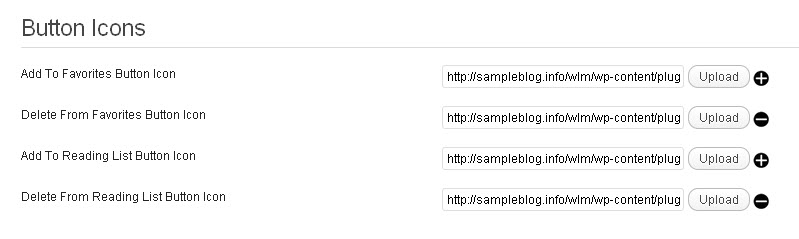
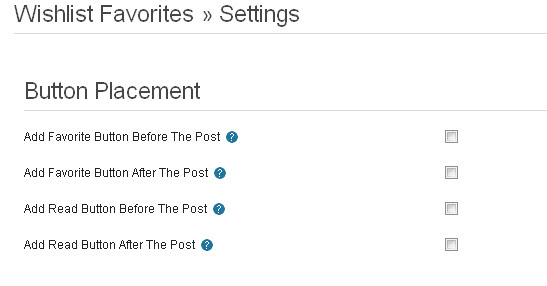
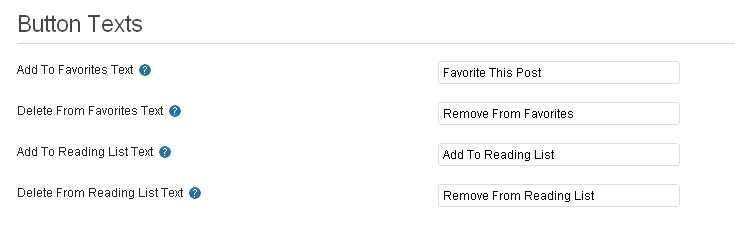
The 2 links are: ‘Add to favorites’ and ‘Save for later reading’ (in the setting page you can define an alternate text for this link and their location)
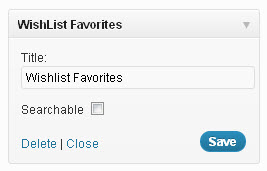
Wishlist Favorites also includes 2 widgets that you can add to your website sidebar.
One widget can display the read later articles that a specific user has added, and the other widget will display the favorites list of that specific user.
You can change many setting of Wishlist Favorites within the settings page. You can find the settings page of Wishlist Favorites under WL Member tab.
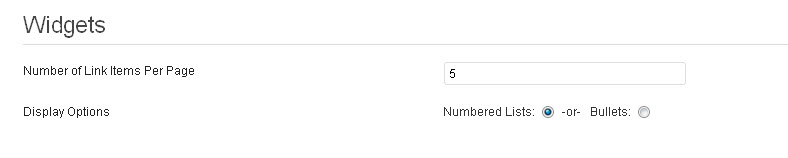
In the settings page you will be able to define many setting regarding Wishlist Favorites.
You will be able to define where the link ‘add to favorites’ & ‘add to read later’ will be placed and alternate text for that links. You will also have the ability to set the widgets display settings.
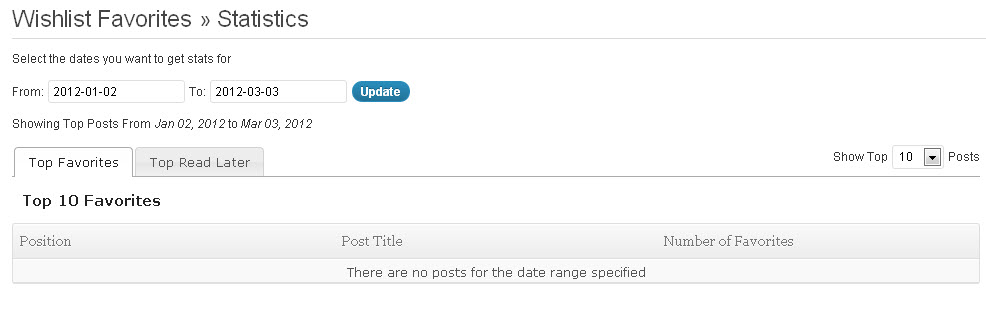
Inside the Wishlist Favorites settings you will also find a statistics tab. This tab will show a list of the posts that were added to a favorites list and the number of times each post has been added.
Wishlist Favorites Screenshots

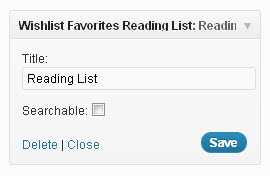

Go to Wishlist Insider Homepage
Why I Think Wishlist Favorites is Really Awesome?
I’m using Wishlist Favorites on all of my membership websites and I think that this plugin is one of the best bonus plugins. Wishlist Favorites is just one of a kind…
The Bottom Line
Wishlist Favorites is a very good addition that will make you member’s lives easy when they are visiting your membership website, but you should one thing.
Wishlist Favorites was only available to members of the Wishlist Insider community as a monthly bonus plugin and if you want a dashboard plugin and missed the chance of getting Wishlist Favorites you can’t buy it as a separate plugin.
However, we do know that the Wishlist Products team is going to open the gates a sell Wishlist Favorites, so if you want to informed signup to our mailing list.
Also, if you don’t want to miss any future of Wishlist Insider monthly bonus plugins you should sign up to the Wishlist Insider community here.
How Can You Get Wishlist Favorites?
This plugin is not available for purchase anymore.
If you are interested in similar features, you can contact one of our developers for developing this kind of a solution for your exact specifications and requirements email us through the contact form on contact us page
Also, if you are looking to extend your WishList membership site with awesome features that will increase your sales and revenues make sure you check HappyPlugins.com






 “Just wanted to let you know that the plugin is working great and incomplete registrations have gone to zero! I’m definitely going to do a review of the plugin and get it for my own site.” MaAnna Stephenson BlogAid.net
 “Bob Tolbert’s Wish List Member plugins have made life easier on us by automating processes that would normally eat up a ton of admin time. I especially appreciate Bob’s quick response time and customer service. Fact is, our membership website would not function without these plug ins.” Michael Burwell TheHangoutHelper.com
 “This plugin is the best way to supercharge your membership signups. I was especially impressed by the developers prompt customer service!” Stan Smith PushingSocial.com
 “The Wishlist Auto Registration plugin is really great, I love it! And the support you guy’s deliver are really outstanding! Thank you so much!” Johan Skalberg kalisikaran.info















Trackbacks/Pingbacks
[…] Read ReviewWatch Tutorial […]